Setting Up the Password Field
Configure which Keap field iMember360 uses for user authentication.
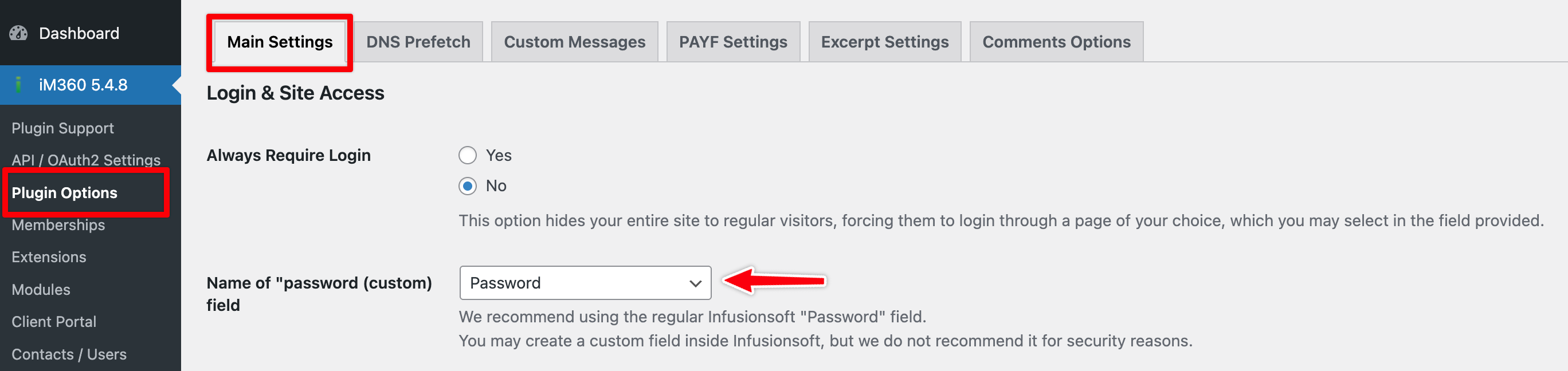
Configure Password Field
-
Go to iMember360 → Plugin Options
-
Under the password field setting, select the appropriate field:
Warning
As of 2025-12-09, the standard Keap Password Field is deprecated by Keap itself and will not work after 2026-12-31.
We recommend a custom field of your choice.
Next Steps
After configuring the password field, proceed to create membership levels.