Page Excerpts
In this lesson we will discuss the iMember360 Page Excerpt.
When a user doesn’t have permissions to see a page then that page “doesn’t exist”, hence a 404 error page.
If you create a manual excerpt / teaser for that page, the excerpt would be shown to users who do not otherwise have permissions to view the page or post.
If you do not want excerpts to be displayed to users who lack the basic permissions to the content on a given page, you can prevent it from being displayed by adding the following tag in the excerpt field or check the "Excerpt only with permission" setting in the iMember360 Content Protection Box:
<!--ONLYWITHPERMISSIONS-->
In “Plugin Options”, if you set the system to always generate an excerpt, it will create one on the fly and display that instead, if a manual excerpt doesn’t exist.
Click the iM360 Page Excerpt and add the text you want a visitor to see if they are not logged in.
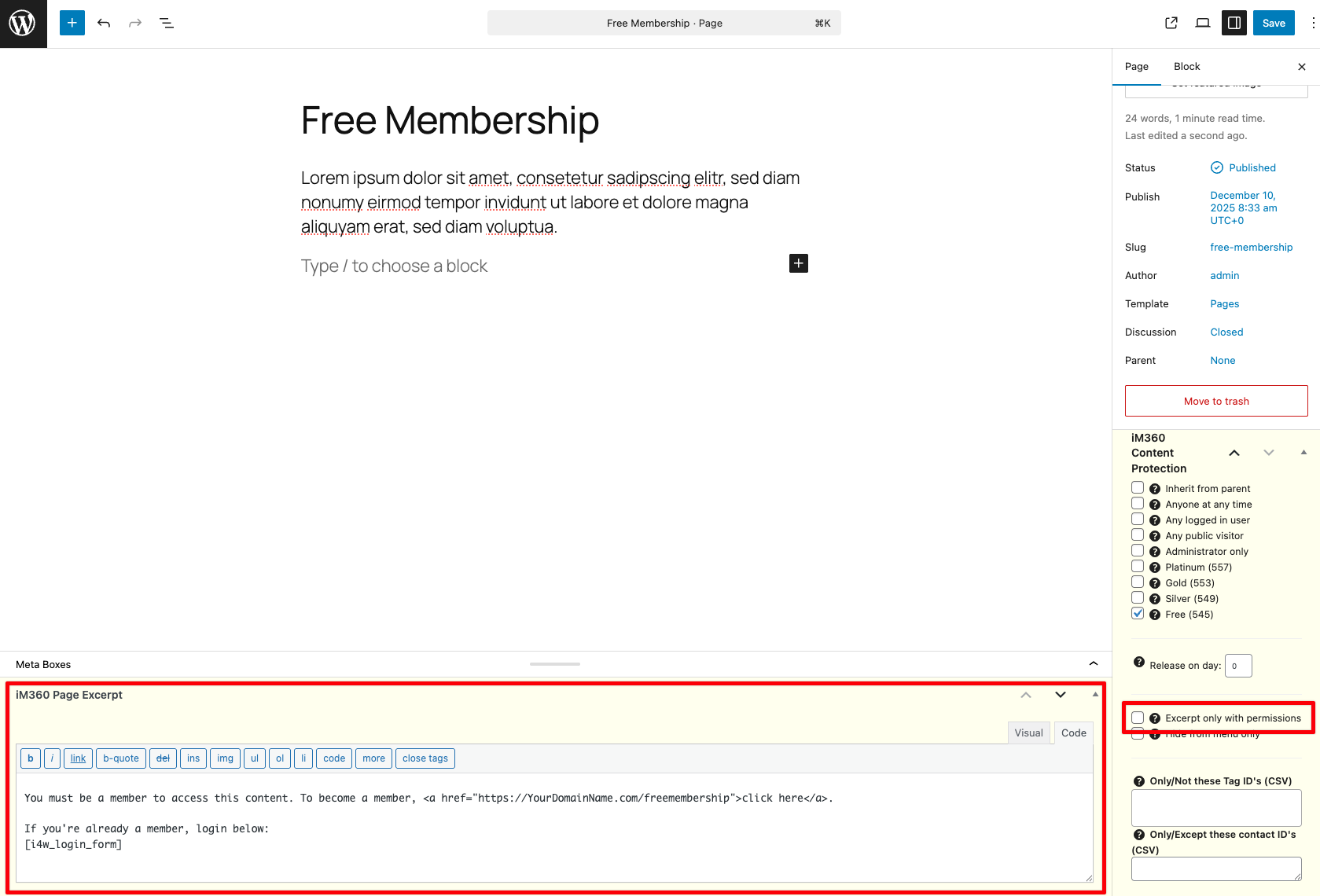
How to make a iM360 Page Excerpt for every page?
See Force Excerpts in Plugin Options.
Force excerpts at all times:
- Activating this option will automatically create an excerpt for pages and posts that do not have one.
- The excerpt text can be defined in the Excerpt Settings options panel.
- This option can be very useful when using fixed menus, such as the ones generated by WordPress Menu Builder to avoid 404 errors.
Creating the Excerpt
See Excerpt Settings in Plugin Options to define the excerpt text. HTML and shortcodes are acceptable.