Main Settings
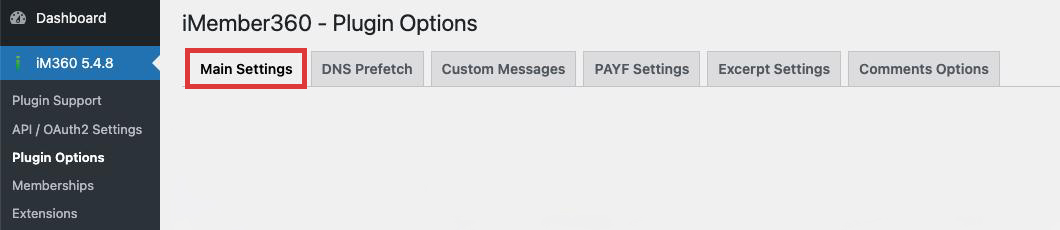
The Main Settings tab contains the core configuration options for iMember360.
Login & Site Access
Always Require Login
Hides the entire site from regular visitors. Users must log in to view any content.
| Values | Yes / No |
| Default | No |
Password Field
Specifies which Keap custom field stores user passwords.
| Values | Dropdown list of available Keap custom fields and the standard password field |
| Default | Password |
Minimum Password Length
Sets the minimum number of characters required for user passwords.
| Values | Number (1-99) |
| Default | 8 |
Site Ban Tag
Select a tag that, when applied to a contact, bans them from accessing the site.
| Values | Dropdown list of available Keap tags |
| Default | None |
Enable Login Access Log
Creates and maintains logs of user login activity.
| Values | Yes / No |
| Default | No |
Prevent Concurrent Logins
When enabled, logs out any existing sessions when a user logs in from a new location.
| Values | Yes / No |
| Default | No |
Limit Failed Login Attempts
Maximum number of failed login attempts before the account is temporarily locked. Set to 0 to disable.
| Values | Number (0 = disabled) |
| Default | 0 |
Lockdown Period
Duration in seconds to lock an account after exceeding maximum failed login attempts.
| Values | Number (seconds) |
| Default | 3600 |
Whitelist IP Addresses
List of IP addresses that bypass the failed login limit restrictions.
| Values | IP addresses, one per line |
| Default | None |
Auto-logout After Inactivity
Seconds of inactivity before automatically logging out the user. Set to 0 to disable.
| Values | Number (0 = disabled) |
| Default | 0 |
API Logging
Maximum number of API calls to log. Set to 0 to disable API logging.
| Values | Number (0 = disabled) |
| Default | 0 |
Last Login Custom Field
Select a DateTime custom field to store the user's last login timestamp.
| Values | Dropdown list of available Keap DateTime fields |
| Default | None |
Login Action Sets
Comma-separated list of action set IDs to run when a user logs in.
| Values | Comma-separated action set IDs (e.g., 123,456,789) |
| Default | None |
Logout Action Sets
Comma-separated list of action set IDs to run when a user logs out.
| Values | Comma-separated action set IDs (e.g., 123,456,789) |
| Default | None |
First Login Redirect Page
Page to redirect users to on their first login.
| Values | Dropdown list of WordPress pages |
| Default | None |
Special Pages
Login Page
Select a custom login page to use instead of the default WordPress login.
| Values | Dropdown list of WordPress pages |
| Default | WordPress default |
Registration Page
Select the page where new users can register.
| Values | Dropdown list of WordPress pages |
| Default | WordPress default |
Registration Static URL
External URL for registration page (e.g., an Keap landing page).
| Values | Full URL (e.g., https://example.com/register) |
| Default | None |
Upsell Page
Page displayed when users attempt to access content they don't have permission for.
| Values | Dropdown list of WordPress pages |
| Default | None |
404 Page
Custom 404 error page.
| Values | Dropdown list of WordPress pages |
| Default | WordPress default |
Content Access Options
Enable WP Dashboard Access
Allow subscribers to access the WordPress dashboard.
| Values | Yes / No |
| Default | No |
Minimum Capability Required
WordPress capability required for dashboard access.
| Values | Dropdown list of WordPress capabilities |
| Default | activate_plugins |
Suppress Admin Toolbar
Hide the WordPress admin toolbar for subscribers.
| Values | Yes / No |
| Default | Yes |
Enable Gradual Release (Drip Content)
Enable time-based content release based on membership start date.
| Values | Yes / No |
| Default | No |
Release Based On
Time unit for gradual content release calculations.
| Values | Days / Weeks |
| Default | Weeks |
Allow Search Bots Access
Allow search engine crawlers to index protected content.
| Values | Yes / No |
| Default | No |
Allow Google First Click
Enable Google First Click Free feature for visitors from Google search.
| Values | Yes / No |
| Default | No |
Excerpts
Force Excerpts
Automatically create excerpts for protected content viewed by unauthorized users.
| Values | Yes / No |
| Default | No |
Disable Excerpt Links
Hide login/upsell links in generated excerpts.
| Values | Yes / No |
| Default | No |
Excerpt HTML Wrapper
HTML tag to wrap around excerpts.
| Values | HTML tag (e.g., <blockquote>, <div>, <p>) |
| Default | <blockquote> |
Excerpt Length
Number of words for auto-generated excerpts.
| Values | Number |
| Default | 55 |
Feed Protection
Password-Protect RSS Feeds
Require login credentials to access RSS feeds.
| Values | Yes / No |
| Default | No |
Miscellaneous Options
Default Avatar Size
Default avatar size for the [i4w_avatar] shortcode.
| Values | Number (1-96 pixels) |
| Default | None |
Suppress Empty Menu Items
Hide menu items that the user doesn't have permission to access.
| Values | Yes / No |
| Default | No |
Apply Hide Menu to Admin Users
Apply menu hiding rules to admin users as well.
| Values | Yes / No |
| Default | No |
Import/Export Settings
Include iMember360 settings in WordPress export/import operations.
| Values | Yes / No |
| Default | No |
Cache Options
Cache Refresh Frequency
How often to automatically refresh cached data from Keap.
| Values | 1-24 hours |
| Default | 6 hours |
Mail Options
Default 'Mail From' Name
Sender name for emails sent by iMember360 (password reminders, etc.).
| Values | Text |
| Default | Site Admin |
Default 'Mail From' Address
Sender email address for emails sent by iMember360.
| Values | Email address |
| Default | None |
Security Options
Security Key
Secret key used for autologin links and other security verification purposes.
| Values | Text (alphanumeric string) |
| Default | None |