Login Redirect
Overview
The Login Redirect module automatically redirects users back to the protected page they were trying to access after logging in. This ensures a seamless user experience when accessing restricted content.
For the related filter hook, see i4w_login_redirect.
Module Settings
Available since version 5.5.4
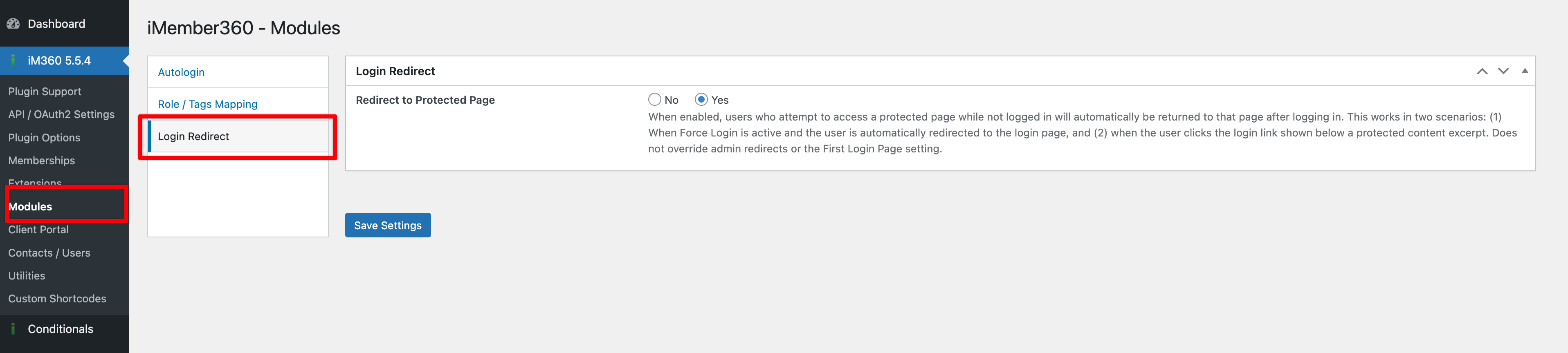
Redirect to Protected Page
When enabled, users who attempt to access a protected page while not logged in will automatically be returned to that page after logging in. This works in two scenarios:
- Force Login – When Force Login is active and the user is automatically redirected to the login page, the originally requested URL is preserved. After logging in, the user is redirected back to that page.
- Protected Content Excerpt – When a user clicks the login link shown below a protected content excerpt, the link includes the protected page URL. After logging in, the user is redirected back to the protected page.
Disabled by default. Does not override admin redirects or the First Login Page setting.