Beaver Themer Integration
Integrate iMember360 conditionals with Beaver Themer's conditional logic system and layout rules for advanced AND/OR rule combinations.
Themer Conditional Logic
Use Beaver Themer conditional logic to control module/column/row visibility with iMember360 conditionals.
-
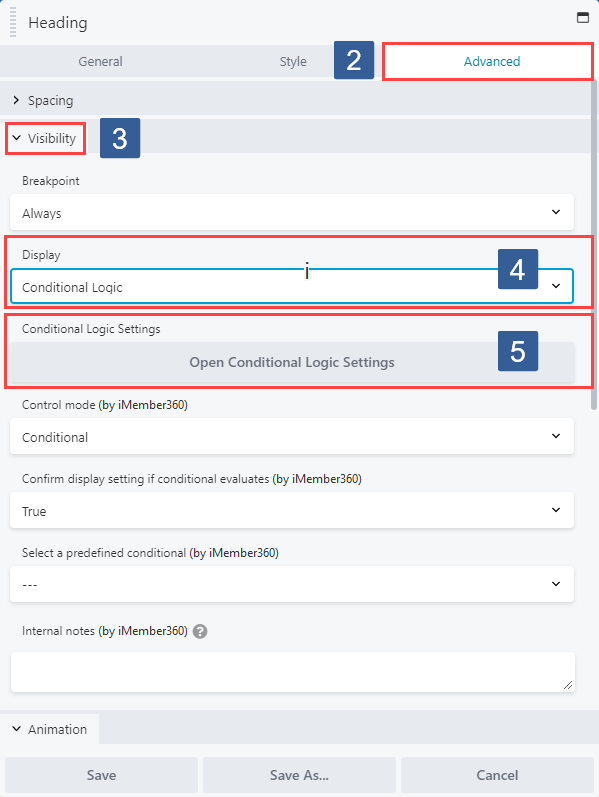
Within the Beaver Builder editor open the module/column/row for editing by clicking the wrench icon.
-
Within the Beaver Builder widget panel select the Advanced tab.
-
Navigate to the Visibility tab and expand it if necessary.
-
Ensure that within the Display drop down Conditional Logic is selected.
-
In the Conditional Logic Settings panel click Open Conditional Logic Settings.
-
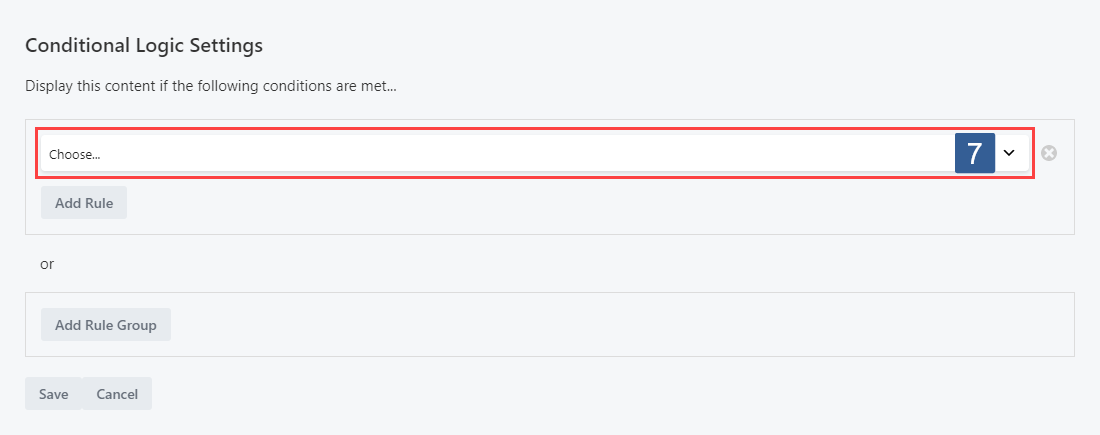
From the Conditional Logic Settings panel select Add Rule Group.

-
From the Conditional Logic Settings panel Add Rule drop down choose Predefined Conditional.
-
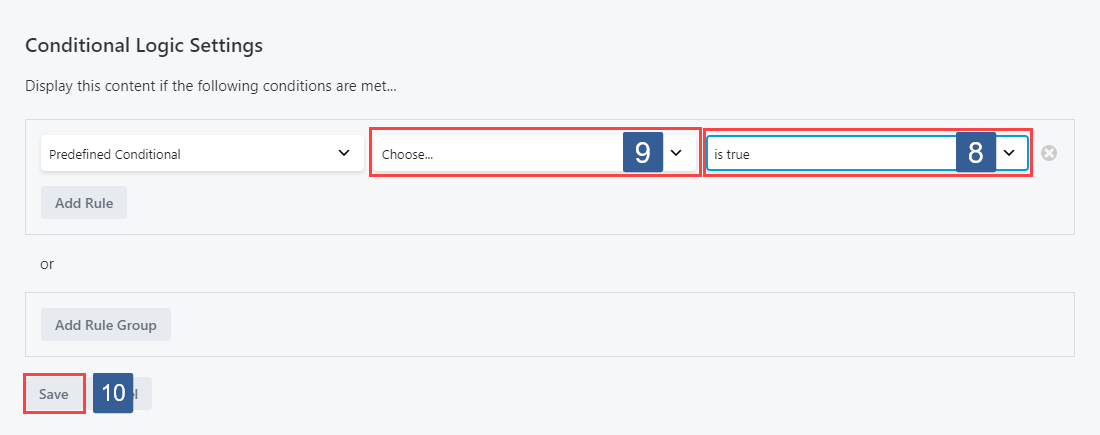
From the Display if the conditional evaluates drop down select whether the conditional needs to evaluate as True or False to display the module/column/row.
-
From the Conditional drop down select the required conditional to be evaluated.
infoActive conditionals are shown in the drop down with the suffix of (publish).
-
Once the settings have been completed ensure Save is clicked to save the configuration.
If the Beaver Themer plugin is deactivated any content controlled by Beaver Themer Conditional Logic will not be displayed.
Themer Layout Rules
Control Beaver Themer layout display based on iMember360 conditionals.
-
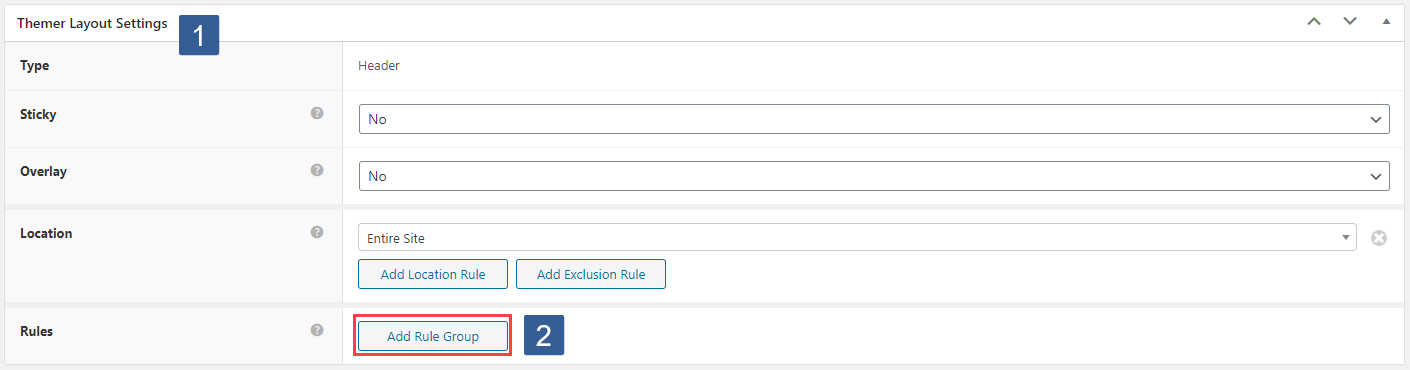
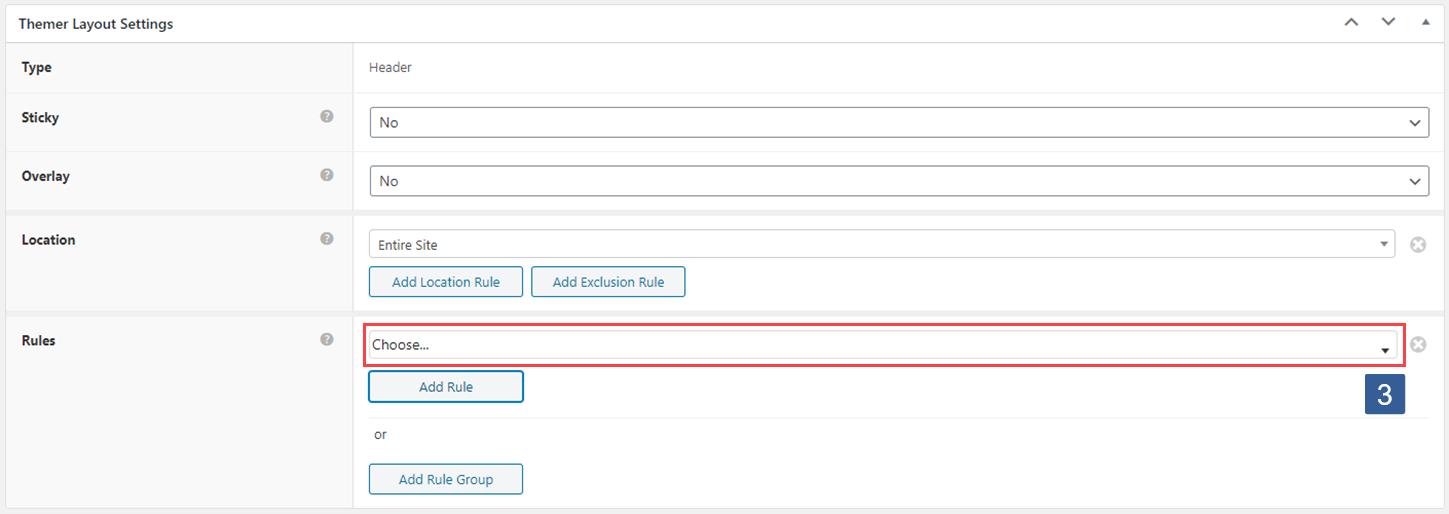
When editing or adding a Beaver Themer Layout locate the Themer Layout Settings panel.
-
From the Themer Layout Settings panel Rules type select Add Rule Group.
-
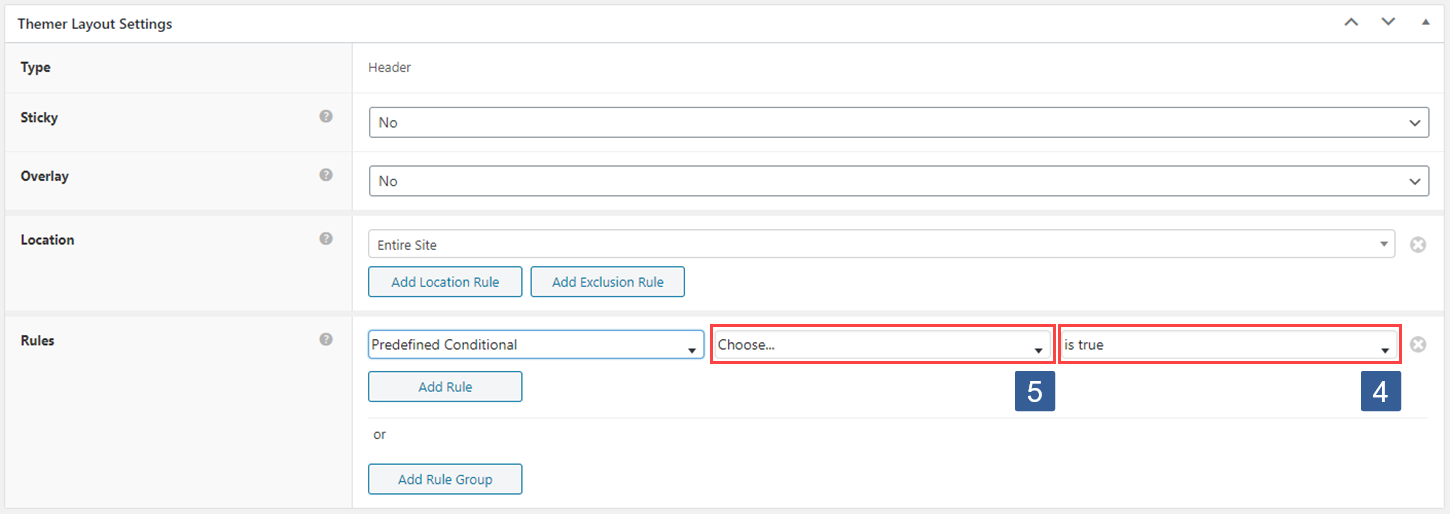
From the Themer Layout Settings panel Rules type, Add Rule drop down choose Predefined Conditional.
-
From the Display if the conditional evaluates drop down select whether the conditional needs to evaluate as True or False to display the module/column/row.
-
From the Conditional drop down select the required conditional to be evaluated.
infoActive conditionals are shown in the drop down with the suffix of (publish).
-
Once the settings have been completed ensure Update is clicked to save the configuration.